WordPress plugin
Product Sort and Display for WooCommerce Premium
Product Sort and Display for WooCommerce Premium gives store administrators options for grouping and ordering products on the shop page, product category pages, and product tag pages. Shoppers see the resulting product groups and browsing options. The add-on is for WordPress websites with WooCommerce installed and activated.
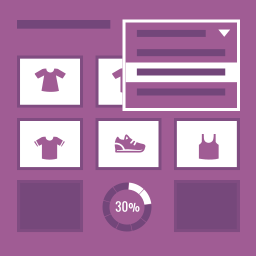
Control product displays across the store
Product Sort and Display for WooCommerce Premium gives store administrators options for grouping and ordering products on the shop page, product category pages, and product tag pages. Shoppers see the resulting product groups and browsing options. The add-on is for WordPress websites with WooCommerce installed and activated.
Arrange categories on the shop page
Group shop products by category and change category order with drag and drop. Choose how many products to show in each group, add a link for users to view all products, and switch individual categories on or off for shop page display. When a parent category has no products attached, products from its child categories can be shown.
- Automatically place on-sale products first within each category.
- Automatically place featured products first within each category.
Configure category and tag pages
Premium extends sorting and display settings to product category and tag pages. Category pages can show subcategories that contain products. Set product counts for the parent category and each child category, or configure a parent to show child categories and their products without parent-level products.
Apply settings across the store from the administration dashboard or set them for individual categories. Options include sort type and the number of products to show. Featured and on-sale sort choices are added to WooCommerce sorting options for category and tag pages.
Set browsing and navigation options
Endless scrolling is available on shop, product category, and product tag pages. Choose automatic loading or scrolling activated by a click. On the shop page, set how many category groups appear before pagination or endless scrolling loads more products.
Navigation can show shoppers how many products they are viewing and the total number in the category, with a link to view all. When all products are displayed, a message indicates that there are no more products to view.
Style category separators
Add a visual separator between product category groups and adjust its styling in the plugin’s style options without coding. Set the padding above and below the separator in pixels.
Install and configure
Install and activate the plugin on a WordPress site with WooCommerce installed and activated. In the administration dashboard, configure the shop, category, and tag page settings. Use Products > Categories to arrange shop page categories with drag and drop, then set product counts, sorting, subcategory behavior, navigation, scrolling, and separator styling.