WordPress plugin
Csomagpontok és Címkék WooCommerce-hez PRO: Map-Based Pickup
Csomagpontok és Címkék WooCommerce-hez PRO connects pickup selection at checkout with shipping tasks in WooCommerce. Shoppers can select a collection point on a map, while store administrators manage delivery prices, labels, and parcel details through orders.
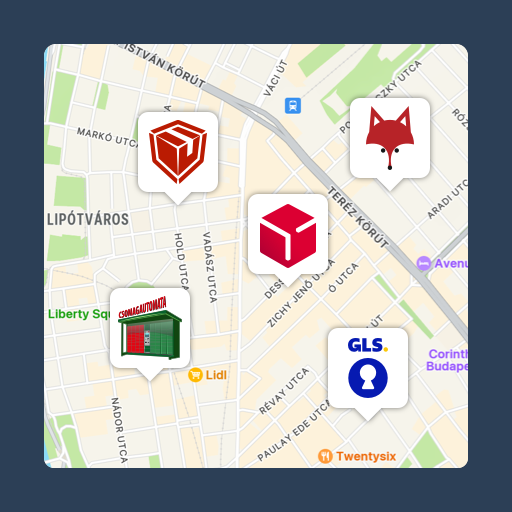
Csomagpontok és Címkék WooCommerce-hez PRO connects pickup selection at checkout with shipping tasks in WooCommerce. Shoppers can select a collection point on a map, while store administrators manage delivery prices, labels, and parcel details through orders.
When shoppers choose pickup
The checkout map works with Postapont, Foxpost, Packeta, GLS, Express One, DPD, and Sameday, including easybox locations. The pickup-point list syncs daily. The map can zoom to the relevant county using the billing postcode, so shoppers do not need to enable location services. It also works on mobile devices.
The selected point is saved with the order as its shipping address and can appear in WooCommerce emails and the administration interface. If a customer changes the delivery method, the point can be removed or replaced. Stores can add their own pickup points with custom icons and adjust map colors and other display settings in the WooCommerce section of the WordPress Customizer.
When orders need labels
PRO can generate and print labels for Foxpost, Packeta, GLS, DPD, Posta (MPL), Sameday, Express One, Trans-Sped ZERO, and Csomagpiac. Labels are available for pickup-point shipments and home-delivery orders. Store owners can also make their own labels for parcels handled through their own delivery process.
Each provider can have separate shipping prices, with conditions such as product category, weight, cart total, or volume. A cash-on-delivery fee can be set for pickup points or other shipping methods as a fixed amount or percentage.
For MPL, Foxpost, Express One, and DPD, shipping-note tools support daily closing, manifest closing, and collection-list creation.
When shipment status changes
Tracking data can sync to the order management area, where administrators can review parcel status. Order status can update automatically in response to parcel-status events. PRO also lets you create a tracking page on your own website, so customers can view tracking information there instead of following a courier-page link. Custom parcel-status automation supports store processes, and orders can be filtered by pickup-point provider.
Connected services and setup
PRO is compatible with Számlázz.hu, Woo Billingo Plus, WooCommerce Shipment Tracking, and Yith WooCommerce Order Tracking. It is also compatible with the Webshippy and iLogistic logistics solutions.
Install the plugin, then configure courier services and prices in WooCommerce settings under Shipping and Pickup Points. Adjust the map in Appearance and Customize under WooCommerce. Enable the delivery settings your store needs, then configure labels, tracking, and status-based automation.