WordPress plugin
Timeline Widget Pro: Timelines for Elementor
Timeline Widget Pro is a paid Elementor timeline widget for presenting chronological content in a visual, structured format. It is designed for company histories, project roadmaps, personal journeys, work experience, product development stages, event schedules, and other story-based content.
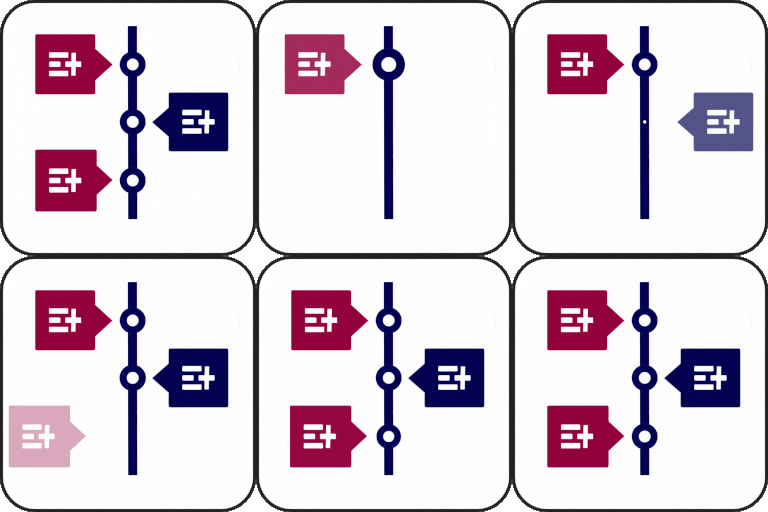
Build richer timelines in Elementor
Timeline Widget Pro is a paid Elementor timeline widget for presenting chronological content in a visual, structured format. It is designed for company histories, project roadmaps, personal journeys, work experience, product development stages, event schedules, and other story-based content.
The widget works directly inside Elementor, allowing you to add a timeline element to a page and personalize it visually. Pro expands the available presentation options with additional layouts, preset styles, animation effects, multimedia support, custom story colors, and more flexible timeline markers.
Flexible layouts and ready-made styles
Choose between vertical, horizontal, and one-sided timeline layouts to fit the structure of your page. Preset styles, including elegant, minimal, and classic options, provide a quick starting point when you want to establish a polished appearance without building every visual detail from scratch.
Advanced style settings help you adapt the timeline to your website styling. Adjust colors, typography, spacing, backgrounds, and borders, then set text and media alignment to the left, right, or center. You can also apply custom colors to individual stories for a more varied visual presentation.
Stories, posts, and multimedia
Use the timeline to arrange custom stories with labels such as dates, years, event names, or step numbers. Timeline markers can use icons, custom text, or images, giving each entry a clear visual reference. Font Awesome icons are supported for timeline steps.
Pro also works with post timelines, allowing blog posts to be displayed in an attractive chronological layout. Add images, videos, or slideshows to make entries more visual and to support company milestones, personal achievements, tutorials, or product updates with relevant media.
Motion and progressive loading
More than 15 animation effects, including fade-in, flip-up, and zoom, can add movement as timeline content appears. For longer timelines, Ajax Load More can load additional stories as visitors scroll down, helping you present extended histories or post collections progressively.
Practical uses
- Present company achievements and historical milestones.
- Show project phases, product roadmaps, and future plans.
- Create work experience timelines for resumes and portfolios.
- Explain processes, tutorials, and step-by-step guides.
- Display event schedules, program phases, and personal journeys.
- Tell a brand story through dated entries and supporting media.
Installation and process
Install and activate the paid Elementor timeline plugin in WordPress, then open a page with Elementor. Drag the timeline widget into the desired location, choose a layout or preset style, and add your stories. Configure labels, icons, colors, typography, alignment, animations, and media before publishing the page.
For a consistent result, begin with the layout that best matches your content, add entries in chronological order, and preview the timeline across screen sizes. The underlying widget is described as fully responsive and compatible with WordPress themes.