WordPress plugin
Jquery Validation For Contact Form 7 Pro: Add Rules by Field
Jquery Validation For Contact Form 7 Pro adds interactive jQuery checks to Contact Form 7 fields. Add a validation class to each field that needs a rule. Visitors receive feedback as they work through the form, and multiple Contact Form 7 forms can appear on one page.
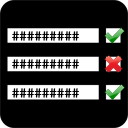
How field validation works
Jquery Validation For Contact Form 7 Pro adds interactive jQuery checks to Contact Form 7 fields. Add a validation class to each field that needs a rule. Visitors receive feedback as they work through the form, and multiple Contact Form 7 forms can appear on one page.
Common format checks
Available methods cover required fields, email addresses, URLs, dates, numbers, digits, credit card details, US phone numbers, letters only, and IBANs.
Pro methods for specific inputs
- Custom code validation with a one-time code option, custom regular expression patterns, username checks, and email code verification
- Alphanumeric values containing letters, numbers, and underscores
- Bank or Giro account numbers and BIC codes
- Positive or negative integers without decimals
- IPv4 and IPv6 addresses, UK mobile and phone numbers, and US states
Set limits and check related fields
Numeric rules can set minimum and maximum values. Text rules can set minimum length, maximum length, or a length range.
- Range: require a value within a specified range
- Equal To: require one field to match another
- Extension: require a particular file extension
- Require Group: require a specified number of fields in a group to be completed
These rules can check account details, contact information, identification data, uploads, and related values that need to agree.
Configure feedback and add rules to forms
Invalid fields can be highlighted, and each field can have its own error message. Pro lets you change messages in the settings and select from four validation error themes. This interactive feedback appears while visitors complete the form, alongside Contact Form 7’s core validation response after submission.
Install and activate the Pro add-on, then review its options page for instructions. Add the appropriate validation class to each Contact Form 7 field that needs a rule, then configure the methods, messages, and error theme in the available settings. Test each form after setup, including pages with multiple Contact Form 7 forms.