WordPress plugin
Custom Product Tabs Pro for WooCommerce Product Details
Custom Product Tabs Pro adds custom tabs beside the standard Description tab on individual WooCommerce product pages. Put specifications, care instructions, delivery information, technical notes, sizing guidance, or other product details in their own sections.
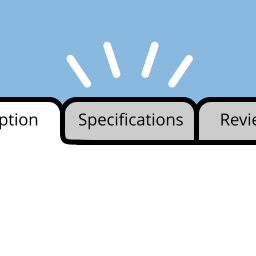
Custom Product Tabs Pro adds custom tabs beside the standard Description tab on individual WooCommerce product pages. Put specifications, care instructions, delivery information, technical notes, sizing guidance, or other product details in their own sections.
Choose how each tab is managed
For details that belong to one product, open Custom Tabs at the bottom left of the Product Data box on the WooCommerce Edit Product screen. Add or delete tabs and use the move controls to arrange them. Each tab uses the standard WordPress text editor, which supports text, pictures, HTML, and shortcodes.
For information used across products, create a saved tab from the Custom Product Tabs item in the WordPress dashboard, then add it to products from their Custom Tabs section. Changes to a saved tab apply to the products using it.
Set a product-specific version of a saved tab
When one product needs various wording, select Override Saved Tab, edit the tab, and save the product. Later changes to the dashboard version no longer apply to that product. Other products using the saved tab continue to use its shared content.
Keep tab data with product exports
Custom tab data is included in standard WooCommerce product data exports, helping retain the associated information when moving products between websites. Custom Product Tabs Pro is compatible with WPML.
Set up your tabs
- Install and activate Custom Product Tabs Pro in WordPress alongside WooCommerce.
- Edit a WooCommerce product and open Custom Tabs in the Product Data box.
- Add a product-specific tab, enter its content in the WordPress editor, and arrange the tab order.
- To reuse content, create a saved tab from the WordPress dashboard and add it to selected products.
After you save the product, its custom tabs appear beside the default Description tab on the product page.