WordPress plugin
Related Post Pro
Related Post Pro displays posts on individual posts, pages, and custom post types. It can also place them beneath excerpts on archive views. Choose to show them before or after content or excerpts, below the first, second, or third paragraph, or before the last paragraph.
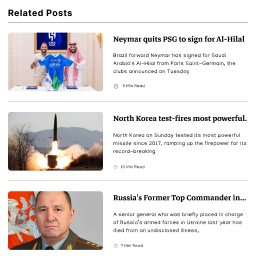
Place related posts in content and archives
Related Post Pro displays posts on individual posts, pages, and custom post types. It can also place them beneath excerpts on archive views. Choose to show them before or after content or excerpts, below the first, second, or third paragraph, or before the last paragraph.
Archive locations include tag, category, date, author, search, and custom taxonomy pages, plus the home page, front page, blog page, and year or month archives.
Choose posts and set query rules
For an individual post, page, or custom post type, choose posts manually. Advanced query settings let you set the maximum number of posts and select query order and orderby parameters. Queries can use the current post's categories, tags, and custom taxonomies.
Arrange and style the show
Choose a grid, slider, or list layout. Set item width, margin, padding, and text alignment, then sort the title, thumbnail, and excerpt into the order you want. Each element can be shown or hidden.
Adjust title and excerpt font size, color, padding, and margin. Set a custom thumbnail height and choose a thumbnail size. Custom CSS is available for individual components.
Configure popups and additional content
The Pro features include popups beneath a single blog post or custom post type. Choose from eight popup positions and set a delay before display. A popup can also appear when a user scrolls to the end of the article content or reaches the end of the page or footer.
Add custom HTML after post titles, excerpts, or thumbnails. Third-party shortcodes can also be displayed after these elements. Use the [related_post] shortcode in content, or call it through do_shortcode() in a theme file to display related posts elsewhere.
Review clicks and set link targets
When click tracking is enabled, the statistics page lists the top 10 posts from related-post clicks. The list shows which posts received clicks; it does not show what prompted visitors to choose them.
Set link targets separately for post titles, thumbnails, and read more links. Options include _blank and _parent.
Set up the add-on
Install and configure Related Post Pro, then choose the content locations, query settings, layout, elements, and styling for your site. The extension documentation and tutorials provide setup guidance for content, excerpts, paragraph positions, and popups.