WordPress plugin
Top Bar Pro
Top Bar Pro builds on Top Bar, a WordPress add-on for displaying a notification bar at the top of a site. Use it for a short announcement, notice, or call to action. Set the message, button text and URL, color, and active or inactive status. The add-on also has an option to keep the bar visible while visitors scroll.
Messages and buttons
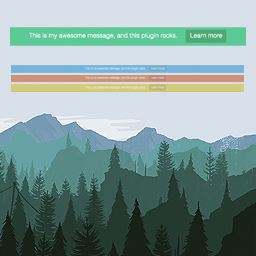
Top Bar Pro builds on Top Bar, a WordPress add-on for displaying a notification bar at the top of a site. Use it for a short announcement, notice, or call to action. Set the message, button text and URL, color, and active or inactive status. The add-on also has an option to keep the bar visible while visitors scroll.
Display and audience settings
Pro settings control how the bar appears and who can see it. Choose its initial state, allow visitors to close it, add a bottom border, set a delay before it appears, position it at the bottom of the page, choose visibility for guests or registered users, and change the font size.
Bottom positioning gives you another placement when the top of the page is occupied. Guest and registered-visitor visibility can direct a notice to the intended audience, while a delay controls when the bar appears.
Set up the bar
Install and activate the plugin, then enter the message and button details, choose a color and status, and set the show options. Save the settings when the bar is configured. Documentation and a support platform are available for usage help.
Language documents
Fully translatable POT files are included in the /lang/ directory.