WordPress plugin
Float Menu Pro for WordPress
Float Menu Pro extends WordPress floating menus that stay visible as visitors scroll. Configure quick access to navigation, contact and support links, social profiles, account pages, promotions, or calls to action.
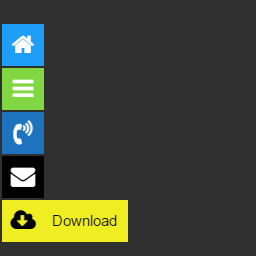
Float Menu Pro extends WordPress floating menus that stay visible as visitors scroll. Configure quick access to navigation, contact and support links, social profiles, account pages, promotions, or calls to action.
Choose links and actions
A standard menu item can link to a destination. Other item actions can translate a page, share content through services such as Facebook and Twitter, or navigate to the next or previous post. You can also add forced downloads, smooth scrolling, scroll-to-top or scroll-to-bottom controls, printing for the current page, and search integration.
Set when a menu appears
Display rules can respond to scrolling, visitor roles, language, schedule, URL parameters, or referrer URL. Scroll rules show or hide a menu as visitors move through a page; role permissions can restrict access, and multilingual options let you adjust menus per language. Scheduling controls when menus appear. URL and referrer conditions can limit display to selected pages or traffic sources. Browser compatibility controls can hide menus for outdated browsers.
Arrange entries and labels
Create submenus with one submenu level. Keep labels open, adjust vertical alignment, or add extra text and label font settings when items need more explanation. Upload custom icons and configure their rotation, flipping, and other settings.
Track clicks and open popups
Google Analytics tracking records menu interactions and clicks. The built-in popup system can open a popup when a user clicks a menu item, connecting that control to an announcement, offer, or other site interaction.
Configure a menu
Install Float Menu Pro and open its menu settings. Create a menu, select its structure and position, and add links or actions. Then configure icons, labels, display rules, and tracking as needed. Set language, schedule, URL, referrer, or user-role conditions where relevant, then test the menu and adjust its behavior for the devices and pages where it should appear.