WordPress plugin
Product Filter for WooCommerce by WBW Pro
Product Filter for WooCommerce by WBW Pro lets shoppers narrow a WooCommerce catalog by the details they care about. Configure filters for price and price range, categories, tags, taxonomies, author, featured or sale status, stock status, ratings, text search, and product attributes.
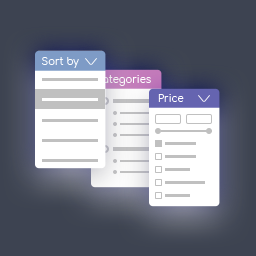
Product Filter for WooCommerce by WBW Pro lets shoppers narrow a WooCommerce catalog by the details they care about. Configure filters for price and price range, categories, tags, taxonomies, author, featured or sale status, stock status, ratings, text search, and product attributes.
Choose filter displays
Adjust how filter options appear in your storefront. The Pro edition works with radio button lists and dropdowns for single selections, checkbox lists for multiple selections, and icons for attributes such as colour, size, and rating. Filters are responsive on phones, tablets, laptops, and desktops.
Set how results update and sort
AJAX live search can refresh matching products without reloading the page. Configure results to update as shoppers select options or after they press the filter button. You can show product counts and recalculate them for the selected filters.
Sorting options include popularity, rating, price, newness, alphabetical order, random order, and the default order. Price and alphabetical sorting can execute in ascending or descending order.
Build and place filters
Create and customize filters through the Elementor interface, where the add-on’s features are available in the Elementor tab. Live Preview shows setting changes in the panel as you work. Add a filter to a page with a widget or shortcode; PHP code is also available when you need to place it directly in page code.
Adjust the price filter
Choose from default, flat, big, modern, sharp, round, and square skins. Set the colour, currency code or symbol, symbol position, and input fields. Automatic price ranges use fixed step values; manual options let you specify each step.
Review filter activity
The filter statistics section collects information about how shoppers search and filter products. Use it to review that activity and inform decisions about product organization and store navigation.
Install and troubleshoot
Add the add-on to a WordPress site with WooCommerce, create filters, then place them on the relevant pages. Configure the criteria, display, price settings, sorting, and AJAX behavior, and check the result in Live Preview. If a problem occurs, update WordPress, your theme, and the plugin. To check for a conflict, test with a default WordPress theme and deactivate other add-ons temporarily.