WordPress plugin
Dark Mode Toggle Pro
Dark Mode Toggle Pro gives visitors a switch for changing a WordPress site between light and dark modes. You can select how the display starts, decide how the switch looks, and configure dark mode separately for the front end and administration area.
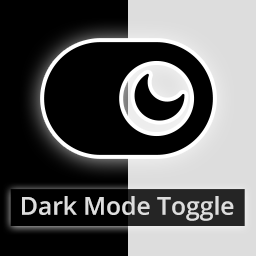
Dark Mode Toggle Pro gives visitors a switch for changing a WordPress site between light and dark modes. You can select how the display starts, decide how the switch looks, and configure dark mode separately for the front end and administration area.
Visitor-selected display modes
The toggle lets visitors switch modes, including choosing light mode on a site with a dark theme. The plugin can save a visitor’s choice for the next page refresh and visit. A dark background with light text may reduce bright-screen discomfort for some people.
Choosing the starting mode
Choose dark mode as the default, or have the initial display match the operating system theme. These options determine the starting appearance; visitors can still use the toggle to change it.
Fit the switch to the interface
Set the button’s position, width, height, border radius, font size, and colors. Add custom text or emoji labels, upload a custom button image, or use various images for light and dark modes. You can also use a custom button, make it sticky, and enable a transition animation when the mode changes.
Editor and admin settings
Separate settings are available for the front end and administration area. Dark mode can be enabled on WordPress admin pages and the post editor screen.
Adjust dark mode for selected blocks
Add the dmt-filter-1 or dmt-filter-0 CSS class to a block element to change or invert how dark mode affects it. This option can be used with images, columns, cover blocks, and buttons.
Configure the extension in WordPress
Open Appearance > Dark Mode to set the button design, display behavior, and front-end or admin preferences. The plugin is lightweight and compatible with WordPress themes, page builder plugins, and modern browsers.